If you need to check your plate number in LTO, the easiest way is through the official LTO-NCR online plate inquiry websites, where you can track whether your license plate is already available or released. Depending on your situation—replacement plate, new motor vehicle or motorcycle, or backlog motorcycle plate—you can use a specific online plate number checker or tracker provided by LTO-NCR. These portals let you search using details like your plate number or MV File Number, without lining up at an office.
If the online LTO plate number checker does not show results, you also have the option to go for an offline check. Some vehicles—especially those registered outside the Philippines’ National Capital Region (NCR)—require contacting your vehicle dealer or visiting the LTO district office where your vehicle was registered. By tracking your license plate status you can wait on your plate with less stress and clearer expectations—regardless if you’re a new driver, a long-time vehicle owner, or a motorcycle rider waiting on a backlog plate.
Why Drivers Check Their Plate Number
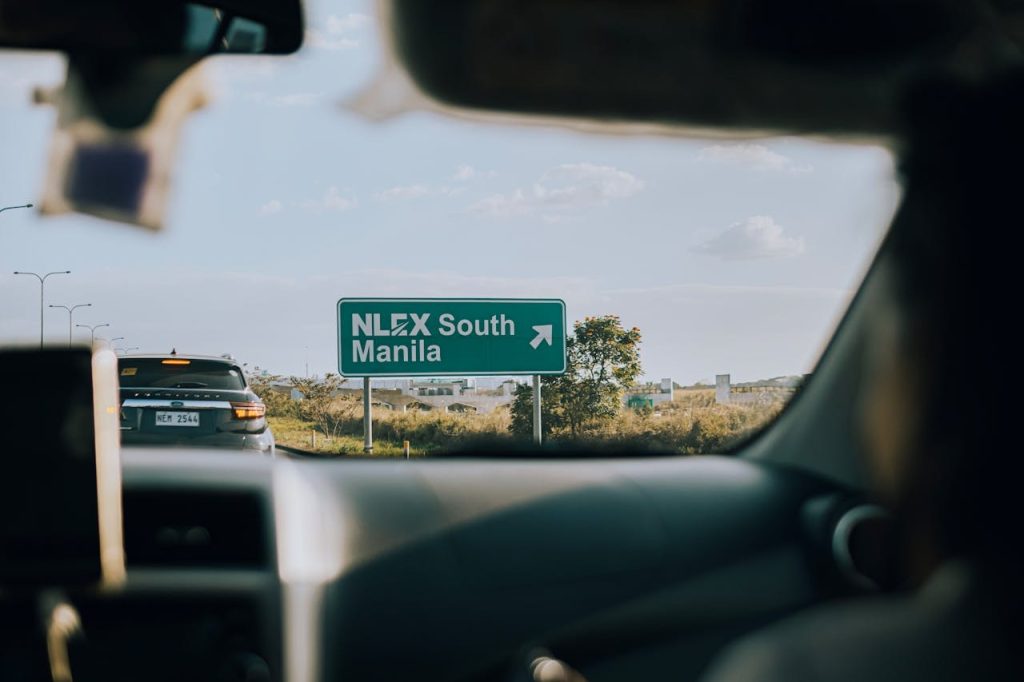
Many drivers in the Philippines share the same concerns when it comes to license plates, and most of the time it is either one or more of these situations:
- You’ve been driving for months or years but still don’t have a physical plate
- Your Certificate of Registration (CR) does not show a plate number
- Your dealer says the plate is “not yet available”
- You want to avoid problems during checkpoints
- You’re unsure if your plate is already released
Because of these worries, the LTO made plate checking simpler and less stressful for drivers by introducing various online plate inquiry tools.
LTO Online Plate Inquiry
The LTO-NCR provides three official online plate inquiry portals. Each one applies to a specific type of vehicle or transaction.
1. Replacement Plate Inquiry (Old Green to White Plates)
Who this is for:
- Vehicle owners who applied for replacement plates in 2015
- Those replacing old green plates with standardized white plates
Official Link: https://www.ltoncr.com/rplateinquiry
What this inquiry checks:
- Availability of your replacement license plate
- Whether your standardized white plate is ready for release
What you usually need:
- Plate number or vehicle details as requested on the site
2. New Motor Vehicle / Motorcycle Plate Inquiry
Who this is for:
- Brand new car owners
- Brand new motorcycle owners
- Vehicles recently purchased from a dealer
Official Link:https://www.ltoncr.com/newplateinquiry
What this inquiry checks:
- If your new license plate has already been released to your dealer
Why this matters:
- Plates are typically delivered to dealers first, not directly to vehicle owners
3. Backlog Motorcycle Plate Inquiry (Using MV File Number)
Who this is for:
- Motorcycle owners whose plate number is not printed on the Certificate of Registration (CR)
- Motorcycles considered part of the plate backlog
Official Link:https://www.ltoncr.com/plateinquiryusingmvfile
What you need to search:
- MV File Number (found on your OR/CR documents)
What this inquiry checks:
- Assigned plate number for backlog motorcycles
Note: These online plate number trackers are only for vehicles whose initial registration or replacement plate transactions were processed under LTO-NCR offices.
How to Check Your Plate Number Online
Follow these simple steps to ensure successful checking of your license plate:
Step 1. Identify your situation (replacement, new vehicle, or backlog motorcycle)
Step 2. Open the correct LTO-NCR plate inquiry link
Step 3. Enter the required details carefully
Step 4. Submit your inquiry
Step 5. Review the result shown on the screen
If results appear, take note of the status and follow the next instructions provided.
What If the LTO Online Plate Checker Shows No Result?
This is common and does not automatically mean your plate is missing. Sometimes, it means the vehicle is registered outside NCR. You can always try the alternative offline options to check.
Checking Your LTO Plate Number Offline
If online portals don’t give you answers, or your vehicle was registered outside NCR, you can:
Contact Your Vehicle Dealer
- Dealers are usually the first to receive released plates
- Ask them directly about the status of your license plate
- This applies mainly to new motor vehicles and motorcycles
Visit or Call Your LTO Office
- Go to the LTO district or extension office where your vehicle was registered
- Bring your OR/CR and valid ID
- Ask about the current plate number status
LTO SMS Plate Number Verification (via 2600)
If you are wondering about the 2600 SMS service, here’s what you should know:
- The 2600 SMS verification service is no longer connected to the new LTMS system
- You can use it, but it is not the most reliable option for checking plate numbers today
- Online portals and direct office inquiries are better options
Mistakes to Avoid When Checking Your Plate Number
To ensure safe checking of your plate number, you need to avoid:
- Using unofficial websites or social media links
- Entering wrong details such as incorrect MV File Number
- Expecting results for vehicles registered outside NCR on LTO-NCR portals
- Relying on outdated SMS verification services
Sticking to official LTO channels helps prevent confusion.
What You Need Before You Check
Before checking, make sure to:
- Confirm where your vehicle was registered (NCR or non-NCR)
- Prepare your OR/CR documents
- Know if your case is replacement, new vehicle, or backlog
- Use only official LTO-NCR links
Key Takeaways
For tips on checking your plate number safely, make sure to observe the following:
- You can check your LTO plate number online using official LTO-NCR plate inquiry tools
- Different portals apply to replacement plates, new vehicles, and backlog motorcycles
- Online checking works only for NCR-processed registrations
- Dealers and LTO district offices remain reliable offline options
- The old 2600 SMS service is no longer dependable
To check your plate number in LTO, use the official LTO-NCR online plate inquiry websites that match your vehicle type—replacement plate, new motor vehicle or motorcycle, or backlog motorcycle using your MV File Number. If the online checker does not show results or your vehicle was registered outside NCR, contact your dealer or visit the LTO district or extension office where your vehicle was registered.